
The Sticky-Note Disaster That Changed Everything
Let me paint you a picture. My desk last year looked like a murder board, sticky notes on the monitor, a spiral notebook open to a page I couldn't decipher from three weeks ago, a notes app on my phone with 47 untitled entries, and a Google Doc I shared with myself titled "IMPORTANT TASKS DO THESE" that I hadn't opened since February.
I was getting things done, barely, but I felt scattered. More frustrating was the journaling habit I kept trying to build. I'd tried Day One (paid), Notion (too heavy), even a physical diary (great until I lost it on a train). Nothing stuck.
Then one evening, while going down a productivity rabbit hole, I landed on RytePad. The pitch was simple: one free app for tasks, journaling, goals, and notes. No subscription. No fluff. I signed up in about forty seconds, literally just my name, email, and a password, and was inside the app immediately.
That was several months ago. My desk is cleaner now. My brain is quieter. Here's the full breakdown.
"For the first time in years, my to-do list, journal, goals, and random notes all live in one place, and that one place remembers everything, even when I forget."
What Exactly Is RytePad?
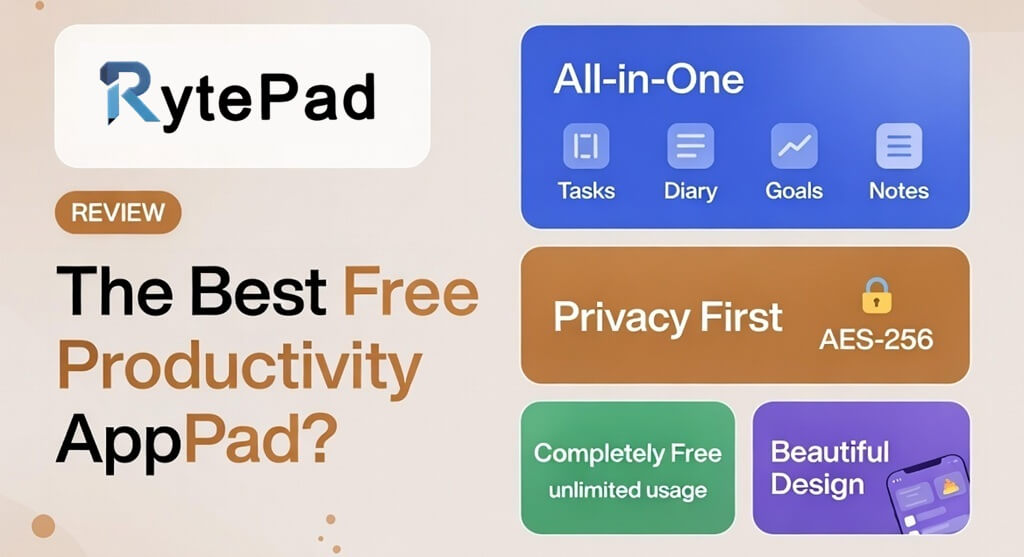
RytePad is a free, web-based personal productivity app that brings together five things most people manage separately: daily task lists, a private journal, long-term goal tracking, custom task lists, and a smart notepad. No app to download, you just open it in a browser, and it works on your phone, tablet, or desktop without missing a beat.
What sets it apart from the crowded world of productivity tools is its philosophy. RytePad isn't trying to be Notion or Monday.com. It's not built for teams or project management. It's built for you, specifically for the kind of daily, personal organisation that keeps your mind clear and your life moving forward. And everything is encrypted, so your thoughts stay yours.
Type: Web-based personal productivity app · Price: Free (Pro available) · Platform: Any browser, any device · Encryption: AES-256 · Sign-up: Under 60 seconds, no credit card needed
Try It Yourself, Interactive App Preview
Before I dig into each feature, here's an interactive mockup of what RytePad actually looks like inside. Click the tabs to explore each section, these panels mirror the real app experience. You can even tick off tasks and write a diary entry!
- Review monthly budget spreadsheet Finance
- Write intro for new blog post Blog
- 30-minute morning run Health
- Reply to 3 pending emails Work
👆 Tap any task to mark it complete. Add your own task above!
🖊️ Rich text, timestamps, and up to 20,000 characters per entry. Blue calendar dots mark days with entries.
Monthly Goals with year/month selector are available on the Pro plan. Upgrade to track time-bound monthly targets like "Exercise 20 days" or "Write 8 blog posts."
- Buy vegetables from the market
- Drop off dry cleaning
- ✓Pay electricity bill
- Pick up parcel from post office
📝 Create up to 20 lists (free). Each list is reusable, searchable, and separate from daily tasks.
📚 Up to 20 notes free. Share via snapshot or live link. Rich text with 20,000 char limit.
Every Feature, Honestly Reviewed
RytePad isn't one tool bolted onto another. It's been designed as an integrated whole, and that shows in how the pieces fit together. Here's what each section actually does, and how I use it.
The Countdown Timer, Small Feature, Big Impact
Tucked into the bottom-right corner of the screen (on desktop) is a focus timer. You set the minutes, say, 25 for a classic Pomodoro, hit start, and a countdown appears in the top-right of the screen. When it finishes, an alarm beeps and you're given the option to stop or immediately set another one. Free users get 5 timer sessions per day; Pro removes the limit. I use it for every focused writing block.
🖊️ My Favourite Rytepad Workflow
Morning: open Tasks, plan the day → add 3–5 prioritised items.
Midday: write a quick Diary entry about how the morning went.
Evening: tick off completed tasks, update my Goals progress.
Weekly: use Notes to draft the week's blog post ideas.
Monthly: Search → export a PDF to review my patterns. 📄
Privacy First, And They Actually Mean It
In an era where most "free" apps monetise your data six ways from Sunday, RytePad's approach is unusually principled. Everything you write, every task, diary entry, goal, and note, is encrypted using AES-256 encryption, the same standard used by banks and government agencies.
Your passwords are securely hashed. Sessions are checked every five minutes. Rate limiting prevents abuse. And RytePad explicitly states in its privacy policy: they do not sell or rent your personal data to third parties. Your content remains yours.
Enterprise-Grade Security on a Free App
AES-256 encryption · Secure password hashing · Session checks every 5 min · Rate limiting (100 req/min) · CSP + HSTS headers
There's something deeply freeing about knowing your journal entries, the raw, unfiltered kind, aren't being scraped to train an AI or sold to advertisers. I write more honestly in RytePad because of that. It sounds philosophical, but it genuinely affects the quality of journaling.
Pricing, Actually Free, Not "Free*"
Let me be direct: RytePad is completely, genuinely free. No 14-day trial. No free tier that cuts off after 100 items. No credit card required to sign up. Every core feature, tasks, diary, goals, lists, notes, search, PDF export, is available without spending a dollar. The FAQ says it plainly: "RytePad will always remain free."
There is a Pro plan that unlocks a handful of power-user features. Here's how they compare:
- ✓ Unlimited daily tasks
- ✓ Unlimited diary entries
- ✓ Unlimited long-term goals
- ✓ Up to 20 custom lists
- ✓ Up to 20 notes (with sharing)
- ✓ Universal search + PDF export
- ✓ AES-256 encrypted data
- ✓ Cross-device sync
- ✓ Email task reminders
- ✓ Countdown timer (5/day)
- ✓ Monthly Goals with calendar selector
- ✓ Auto-copy pending tasks to next day
- ✓ Diary Note feature (daily summary)
- ✓ Unlimited task lists
- ✓ Unlimited notes
- ✓ Unlimited countdown timer credits
- ✓ Search diary notes (Pro section)
- ✓ Priority support
For 95% of users, the free plan is more than enough. I've been on it for months and haven't once felt limited. The Pro plan makes sense if you rely on daily task auto-rollover or need unlimited notes/lists, but start free and see if you ever actually hit a wall.
My Honest Ratings
Excellent
The Good and the Not-So-Good
👍 What I Love
- 100% free, no trial tricks, no hidden paywalls
- Everything in one place: tasks, diary, goals, notes
- AES-256 encryption gives real peace of mind
- Sign-up takes under a minute, no card needed
- Email reminders for pending and upcoming tasks
- Note sharing via snapshot or live link is clever
- Universal search across all content with PDF export
- Sounds and calendar dots make it feel satisfying to use
- Works beautifully in any browser, any device
- Task auto-rollover (Pro) is a genuine time-saver
👎 What Could Be Better
- No offline mode, needs an internet connection
- Mobile UX is good but a dedicated app would feel smoother
- 20 note/list cap on free plan feels a bit low for heavy users
- No collaboration features, purely personal/solo use
- Monthly goals locked behind Pro is a bit limiting
- No recurring task feature on the free plan
- Countdown timer capped at 5 sessions/day (free)
- No image or file attachments in notes or diary
The lack of offline mode is the one thing that occasionally trips me up, if your internet drops mid-journaling, the entry might not save. The workaround: always hit "Add Entry" before closing the tab. Not a dealbreaker, but worth knowing going in.
Who Is RytePad Actually Built For?
RytePad is a personal tool, full stop. It's not a team project manager, not a CRM, not a note-sharing workspace. It's the digital equivalent of a well-designed planner that you carry in your pocket, and it does that job exceptionally well for a certain kind of person.
You need team collaboration, file attachments, offline access, or complex project management. For those needs, look at Notion, Todoist, or ClickUp. RytePad is intentionally personal and simple, that's its strength, but it's also a genuine boundary.
Frequently Asked Questions
The questions I get asked most about RytePad, answered from its official user guide and my own day-to-day use.
Final Verdict: 4.7/5, A Hidden Gem Worth Bookmarking Right Now
RytePad quietly solves a problem most of us don't even articulate clearly: we need one honest, private, simple place to manage our days. Not a project suite. Not a corporate dashboard. Just: what am I doing today, what have I been thinking, and what am I working toward? It answers all three questions beautifully, for free. The encryption is real, the design is clean, and the daily habit it builds is genuinely valuable. My only wish is for an offline mode and a native mobile app. Until then, I'll keep that browser tab open every single morning.
Try RytePad Free, No Card Needed →This review reflects the author's personal experience and is published on MoneyWika. Not sponsored by RytePad. Always verify current features at rytepad.com.