
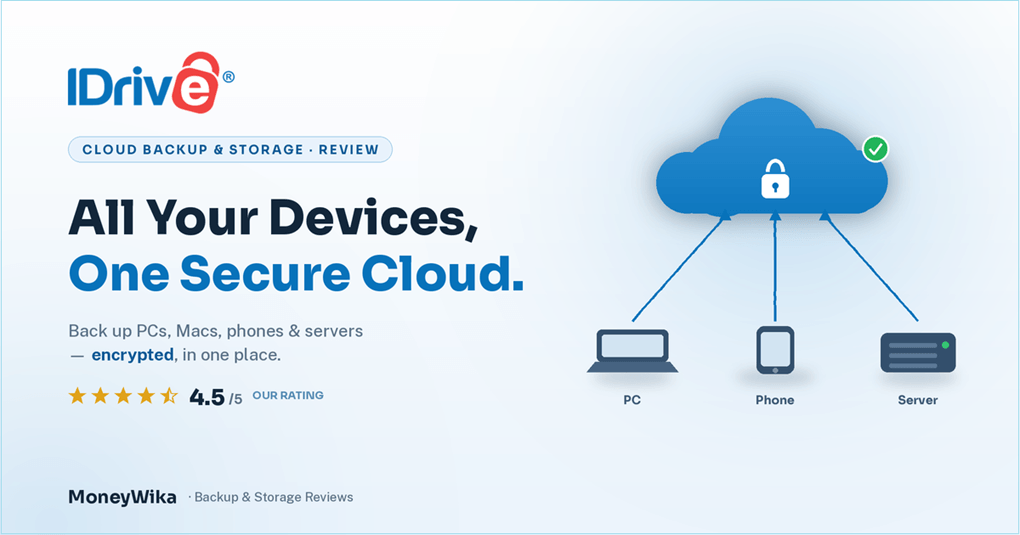
iDrive does something almost no other backup service will: it covers every device you own, laptops, desktops, phones, external drives and even a NAS, under a single account with one storage bucket. One subscription, the whole household or office. That model makes it one of the best value backup tools available, and it is also where the catches hide. The headline price is a first-year rate, and the software keeps files you deleted months ago. Here is what iDrive actually does well, what it costs once the discount ends, and who should skip it.
Nobody buys backup software because they are excited about it. You buy it in one of two moods: mild guilt, or genuine panic. The mild-guilt purchase happens after a friend loses a phone. The panic purchase happens at 2am with a laptop that will not boot and four years of photos on it.
iDrive has been quietly serving both crowds since long before cloud backup was fashionable. It is run by iDrive Inc. out of Calabasas, California, and its pitch has stayed remarkably consistent: pay once, back up everything you own. Not one machine. Everything.
I want to be upfront that this is not a flawless product, and the flaws are worth understanding before you pay. But the core value proposition is real, and for a certain kind of buyer it is close to unbeatable. Let's work through what it does, what it costs, and where it trips people up.
What iDrive actually is
iDrive is a cloud backup service, and that phrase gets used loosely enough to be worth pinning down. Dropbox and Google Drive are sync tools: they mirror a folder, and if something corrupts or encrypts that folder, the damage syncs too. Backup is different. It takes a copy, keeps history, and lets you go back to how things were on a specific day.
iDrive does the second thing, thoroughly. It runs quietly in the background, catches changes continuously rather than on a schedule you forget to set, and keeps previous versions of files so you can roll back rather than just recover.
The structural difference from almost every competitor is the licence model. You buy storage, not seats. A 5TB plan covers your laptop, your partner's desktop, both phones, an external drive and a network drive, all drawing from the same 5TB. Backblaze, by contrast, sells unlimited storage but bills per computer and does not back up phones at all.
Backblaze rewards one person with an enormous single machine. iDrive rewards a household or a small office with lots of moderate ones.
That is genuinely the whole decision in one sentence, and it is why arguments about which is "better" tend to go nowhere. Count your devices, add up your data, and the answer usually picks itself.
Beyond the consumer product, iDrive has quietly grown into a small family of services: Team and Business plans with server and database backup, iDrive 360 for centrally managed endpoint backup, iDrive Photos and BMR for bare-metal recovery, and iDrive e2, an S3-compatible object storage service that competes with AWS and Backblaze B2 rather than with consumer Dropbox.
The features that actually matter
Backup feature lists are long and mostly boring. These are the six that change how you would use it day to day.
Every device, one bucket
Windows, macOS, Linux, iOS and Android, plus external drives and NAS devices, all backing up into a single shared allowance.
Versioning and snapshots
Keeps previous versions of files and offers immutable snapshots covering the last 30 days, which is what saves you from ransomware rather than just disk failure.
iDrive Express
For a full restore they physically ship you a drive, once a year on Personal plans. Restoring several terabytes over home broadband is otherwise measured in days.
Private-key encryption
256-bit AES in transit and at rest, with the option to hold your own key so nobody at iDrive can read your data. Lose that key and neither can you.
Disk image backup
Clone an entire drive, operating system and settings included, so a dead machine can be rebuilt rather than reinstalled from scratch.
Server and database support
SQL Server, Exchange, Oracle, SharePoint, VMware and Hyper-V are covered through Server Backup, a $5 per month per server add-on available on Mini, Personal, Team and Business plans.
If you are backing up a website or a server rather than a laptop, check what your host already includes before paying twice. Managed platforms often bundle automated snapshots, as we cover in our Cloudways review, and self-managed setups on providers like those in our Vultr review typically offer paid snapshots at the infrastructure level. iDrive earns its place on the endpoints and the office, not usually as a duplicate of what your host does.
Who iDrive suits, and how they use it
Four patterns come up repeatedly. If you recognise yourself in one of them, the maths is probably in your favour.
The multi-device household
Two laptops, a desktop and three phones. Per-computer pricing elsewhere makes this expensive fast, while iDrive covers the lot on one 5TB plan as long as the combined total fits. This is the scenario the product was built for.
Freelancers and creatives
Photographers, videographers and designers with big working files and a client obligation not to lose them. Versioning matters here as much as capacity, because the file you need is often last Tuesday's version rather than the current one.
Small offices without IT
Team plans bundle users with storage and add central management, so one person can confirm every machine is actually backing up. That visibility is the real product, not the gigabytes.
Businesses with a server in the corner
Server backup is an add-on rather than a plan tier, at $5 per month per server, covering SQL, Exchange, Oracle, VMware and Hyper-V alongside the workstations. If your data lives partly on a physical server, that consolidation is worth a lot.
iDrive pricing in 2026, and the renewal jump
iDrive sells Personal, Team and Business plans, all priced by storage rather than headcount, plus a tiny Mini tier from $0.25 a month for 100GB and a free 10GB account to test on. Personal scales from 5TB up to 100TB. Prices below are per month billed annually, which is how most people buy it. Paying month to month costs meaningfully more, and a two-year term is cheaper still.
What you will actually pay in year two
This is the part I would want a friend to tell me before I bought. Every advertised iDrive price is a first-year rate with 30% off, and the standard rate applies from year two onward.
Two things worth noticing. The discount is a flat 30% on every tier, so the step up in year two is a consistent 43% rise whichever plan you pick, no tier is quietly worse than another. And month-to-month billing is the expensive way in: 5TB costs $11.99 a month with no commitment against $9.99 on an annual term, about 17% cheaper before any discount, and $6.99 in your first year, which is closer to 40% off.
iDrive advertises 30% off your first year, or 50% off the first year if you commit to a two-year term, which brings 5TB to $179.82 for the full two years. Those are the standard offers rather than rare promotions, and deeper seasonal discounts do appear from time to time.
Work out what the plan costs at the standard rate, decide whether you would still pay it, and only then take the discount. Rates and tiers change, so confirm the current figure on the official iDrive pricing page before subscribing.
Three things I would want to know first
1. Deleting a file does not free the space
By default, when you delete something from your computer, iDrive keeps the backed-up copy and it continues counting against your quota. The logic is defensible, since accidental deletion is exactly what backup protects you from. The consequence is that users have reported filling a plan far faster than expected and running into overage territory without realising why.
The fix is simple once you know: check the archive-cleanup setting and review what is still being retained every few months. It is not a bug, but it is the single most common reason people are confused by their own storage usage. It also has a price attached, because exceeding your allowance carries an overage charge of $0.25 per GB per month on Personal plans and $0.50 on Team and Business.
2. Restores of very large datasets take real time
Uploads and downloads are unlimited, but physics is not. User reports put restore throughput in the region of a day or two per terabyte over ordinary connections, which is why iDrive Express exists. If your recovery plan involves getting 4TB back in an afternoon, plan on the courier rather than the internet.
3. It is a backup service, not your only copy
Standard practice among people who have actually lost data is the 3-2-1 rule: three copies, two kinds of media, one off-site. iDrive is an excellent off-site copy. It works best alongside a local external drive rather than instead of one, and if the data is business-critical, a second independent cloud provider is not paranoid, it is cheap insurance.
Backup protects you from losing data. It does nothing about losing availability. If your revenue depends on a site staying reachable under attack, that is a separate layer of the stack entirely, which we cover in our KoDDoS review of DDoS-protected hosting. The two problems get confused surprisingly often.
Pros and cons
👍 What we liked
- Unlimited devices on one plan, including phones and tablets
- Genuine backup features: versioning, disk images, NAS and server support
- iDrive Express ships a physical drive for large restores
- Private-key encryption option for zero-knowledge storage
- Immutable 30-day snapshots that actually help against ransomware
- Free 10GB tier and a 30-day business trial to test properly
- iDrive e2 object storage at roughly $4 per TB is strong value separately
👎 What to watch
- Headline price is first-year only; every tier steps up about 43% in year two
- Deleted files keep occupying your quota unless you clean up, with overage at $0.25/GB/month
- Large restores are slow without using iDrive Express
- No unlimited-storage option at any price
- Interface shows its age next to newer, simpler rivals
- Users report friction cancelling auto-renewal, so diarise the date
Should you buy iDrive?
Buy it if…
- You have three or more devices to protect
- You want phones and tablets backed up, not just computers
- You need versioning or full disk images, not folder sync
- You have a NAS or a server in the mix
- You will actually check the renewal price and still say yes
Skip it if…
- You have one machine with a huge amount of data on it
- You want a truly unlimited plan and a flat price forever
- You need same-day restore of multiple terabytes
- You want file sharing and collaboration more than recovery
- You will forget to manage the archive and blame the quota
If the right column describes you, a flat unlimited single-computer service is the cleaner buy. And if what you actually want is somewhere reliable to keep working notes rather than a full disk backup, that is a different tool entirely, closer to the options in RytePad's roundup of the best online notepads.
Back up everything you own, on one plan
iDrive covers unlimited computers, phones, external drives and NAS devices from a single storage allowance, with versioning, disk images and encrypted off-site copies. There is a free 10GB tier if you want to try it before paying.
Free 10GB tier · unlimited devices · 256-bit AES with optional private key
Frequently asked questions
Billed annually, the 5TB Personal plan is $6.99 a month for the first year and $9.99 a month from year two. The 10TB plan is $10.49 rising to $14.99, and 20TB is $17.49 rising to $24.99. Paying month to month with no commitment costs more, $11.99 a month for 5TB.
The discount is a flat 30% off your first year across all tiers, or 50% off the first year on a two-year term. There is also a free 10GB Basic account and a Mini tier from $0.25 a month for 100GB, so you can test the software properly before paying anything.
It depends entirely on how your data is spread out. Backblaze sells unlimited storage but charges per computer and does not back up mobile devices, so one person with a single machine holding 8TB of video is clearly better off there.
iDrive sells capacity and covers unlimited devices, so a household with a few laptops, a desktop and several phones usually pays much less overall. At $6.99 a month for 5TB in year one, covering everything, the maths favours iDrive as soon as you have three or more machines. Count devices, add up total data, and the cheaper option becomes obvious. There is no universal winner.
Because by default iDrive keeps the backed-up copy of a file after you delete it locally, and that copy still counts toward your quota. It is intentional, since deletion is one of the things backup is meant to protect against, but it surprises a lot of people.
Review the archive-cleanup settings in your account and prune retained data periodically. If your usage looks far higher than the files currently on your machines, this is almost always the explanation.
Data is protected with 256-bit AES encryption in transit and at rest, with two-factor authentication and immutable snapshots covering the previous 30 days to blunt ransomware.
If you enable private-key encryption, you hold the key and iDrive cannot decrypt your data. That is the stronger setting, with one serious caveat: lose the key and your backup is permanently unreadable, including by support. Store it somewhere you trust more than the data itself.
For a few gigabytes, minutes. For terabytes, plan in days. User reports put throughput roughly in the range of a day or two per terabyte over typical home connections, since the limiting factor is your own bandwidth rather than iDrive.
That is exactly why iDrive Express exists: they courier a physical drive with your data, free once a year on Personal plans and three times a year on Team and Business, with further requests charged at $59.95. If a fast recovery matters to your business, factor that service into your plan rather than assuming a download will do.
Yes to all three, though the tier matters. Personal plans cover external drives and NAS devices alongside your computers and phones, all sharing the same storage allowance.
Server workloads including SQL Server, Exchange, Oracle, SharePoint, VMware and Hyper-V are handled by the Server Backup add-on at $5 per month per server, which can be attached to Mini, Personal, Team and Business plans. Business plans add unlimited users, central management and audit logging on top. If you are protecting a website rather than a machine, check what your hosting provider already includes first.
The verdict
iDrive remains one of the best-value backup services available, and the reason is structural rather than promotional. Covering unlimited devices from a single storage pool is the right model for how people actually own hardware now, and almost nobody else does it. Add real versioning, disk images, NAS and server support, private-key encryption and a courier service for big restores, and the feature depth is closer to enterprise backup than to consumer sync.
The product also shows its age in places, and the commercial practices need watching. The interface is functional rather than pleasant. The advertised price is a first-year rate that steps up meaningfully. Deleted files quietly occupy your quota until you deal with them, and enough users report friction cancelling auto-renewal that it is worth a calendar reminder before your term ends.
None of that outweighs the core value, but it does change how you should buy. Price the renewal, not the promotion. Check your archive settings in the first week. Keep a local copy alongside it. Do those three things and iDrive is a genuinely excellent off-site backup that will cover more of your life than any per-computer plan at the same price.
For a household with several devices, a freelancer protecting client work, or a small office without an IT person, it is an easy recommendation. For one person with one enormous machine, look at a flat unlimited plan instead.
Pricing, plan contents, storage tiers and add-on costs cited here were taken from iDrive's official pricing page in August 2026 and reflect annual (billed yearly) rates unless stated otherwise. All advertised prices are first-year rates; standard pricing applies from the second year onward. iDrive changes its pricing and promotions frequently, so always confirm current figures and terms on the official iDrive website before subscribing. Restore speeds and storage-behaviour observations are drawn from published user reports and will vary with your connection and configuration. This page contains affiliate links, which means we may earn a commission at no extra cost to you if you sign up through them. Our rating and editorial opinions are our own and are not influenced by these partnerships.