
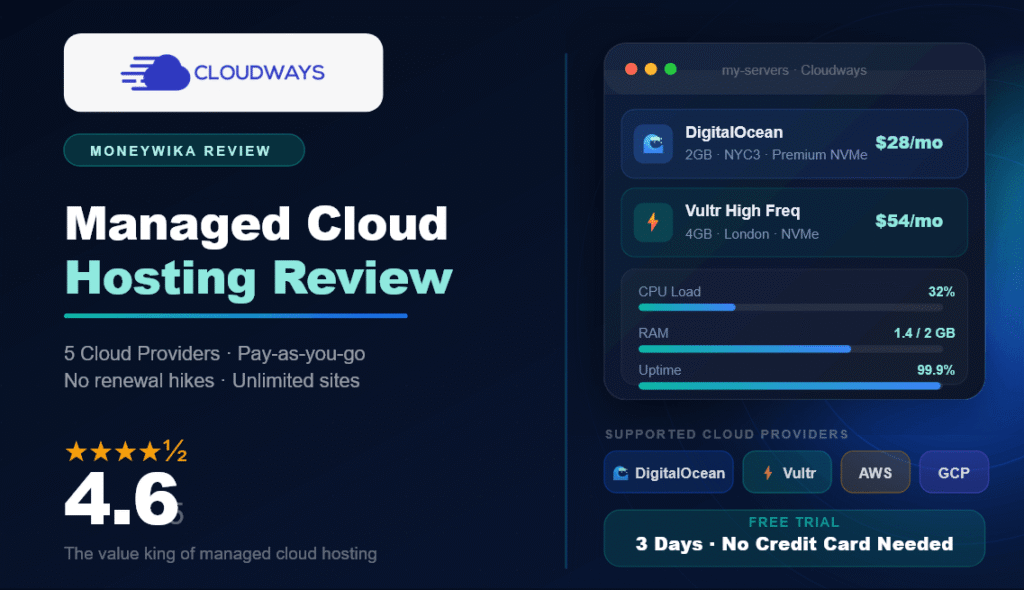
Shared hosting is cheap until your traffic grows, and raw cloud servers are powerful until you have to configure one yourself. Cloudways aims squarely at the gap between them: enterprise cloud infrastructure with a friendly dashboard bolted on top, so you get the speed of a VPS without needing to be a sysadmin.
I dug through its 2026 pricing, tested the control panel, and lined it up against the managed-WordPress heavyweights. This Cloudways review covers exactly what it does, who should use it, what you really pay once add-ons are factored in, and where it falls short.
What Is Cloudways?
Cloudways is a managed cloud hosting platform. It does not own data centers. Instead, it sits as a management layer on top of five leading infrastructure providers, and lets you launch and run servers on any of them from one clean dashboard, no command line required.
The five providers are DigitalOcean, Vultr, Linode (now Akamai), Amazon Web Services, and Google Cloud. You pick a provider, choose a server size, and Cloudways handles the setup, security hardening, caching stack, SSL, staging, and updates. In October 2022 Cloudways was acquired by DigitalOcean, but it still operates as a separate product and keeps its multi-cloud lineup intact.
Think of Cloudways as the easy button for cloud servers: you get the raw performance of DigitalOcean or Vultr, minus the terminal commands, plus a support team, backups, and a one-click app installer.
One detail that trips people up: Cloudways prices per server, not per site. A single server can host as many WordPress, WooCommerce, or Laravel installs as its resources allow. That is the whole reason it gets cheaper than rivals as you scale, a point we return to in the pricing section.
Who Is Cloudways For?
Cloudways is flexible, but it is not for everyone. After using it, here are the people who get real value, and the ones who may be happier elsewhere.

SSH, WP-CLI, Git deployment, staging, and unlimited sites per server make it ideal for building and hosting many client projects on one bill.

Dedicated resources, Redis and Varnish caching, and free Object Cache Pro on 4GB+ servers keep dynamic carts and checkouts fast under load.

A site outgrowing shared hosting gets VPS-grade speed and one-click vertical scaling without a painful migration or a sysadmin on payroll.

If you want cPanel, email hosting, and a phone number to call for $3/mo, traditional shared hosting will feel simpler and cheaper to start.
The honest summary: Cloudways rewards people who value performance and control and are comfortable managing WordPress themselves. If you need bundled email inboxes, cPanel, or hand-holding phone support at the entry price, it is not the natural pick.
Why Use Cloudways: The Features That Matter
Cloudways bundles the tedious parts of running a server into a point-and-click interface. Here are the pieces that genuinely earn their keep.
One-Click Everything
Launch a server and install WordPress, WooCommerce, Magento, or Laravel in minutes. Free SSL, cloning, and staging environments are all a click away.
Optimized Speed Stack
A tuned stack of Nginx, Apache, Varnish, Redis, and Memcached, plus the newer Lightning (NGINX) option, delivers fast page loads out of the box.
One-Click Vertical Scaling
Traffic spike coming? Scale RAM, CPU, and storage up from the dashboard in seconds, then scale back down. You pay only for what you use.
Security & Backups Included
Dedicated firewalls, OS patching, free SSL, and automated backups ship with every plan, with optional off-site backup storage for disaster recovery.
Developer Tooling
SSH and SFTP access, WP-CLI, Git deployment, staging, and team collaboration with granular permissions, without giving up the easy dashboard.
Autonomous (Auto-Scaling)
A newer Kubernetes-based WordPress product that handles infrastructure and auto-scales for you, for those who want hands-off traffic-proof hosting.
"Cloudways sells time. You are paying a modest markup over raw cloud pricing to never touch a server config file again."
Start on a DigitalOcean or Vultr Premium 1GB server to test, then scale up once real traffic arrives. Because billing is pay-as-you-go and hourly, spinning up a trial server costs almost nothing.
Performance and Support
On performance, Cloudways is genuinely strong. Because every plan runs on dedicated cloud resources rather than a crowded shared box, sites load fast and stay stable under traffic. Vultr High Frequency servers, running AMD EPYC chips at 3GHz+ with NVMe storage, edge out the competition on CPU-heavy, uncached pages like WooCommerce checkouts, while DigitalOcean Premium is the balanced, safe default. Cloudways also advertises 99.9% uptime and offers a built-in Cloudflare Enterprise CDN add-on to push assets closer to your visitors.
Support is the more debated area. Every plan includes 24/7/365 live chat and ticketing, and the response times are generally good. The catch is that faster, deeper help, plus phone access, sits behind paid Advanced and Premium Support add-ons that can run from around $100 to $500 a month. For a solo blogger that is irrelevant; for a business that wants guaranteed rapid escalation, it is a real line item to budget for.
Cloudways does not offer traditional email hosting or cPanel. You will use a third-party email service (like Google Workspace) for inboxes, and Cloudways' own custom panel instead of cPanel, which is cleaner but unfamiliar if you are migrating from shared hosting.
Once your site is live and fast, the next lever on revenue is usually how you follow up with visitors. If email is part of your plan, our ActiveCampaign review covers what a dedicated automation platform adds, and our ActiveCampaign vs Mailchimp comparison helps you pick between the two biggest names.
Cloudways Pricing Explained (2026)
Cloudways uses pay-as-you-go, per-server pricing with no annual contracts and no renewal hikes, which is genuinely refreshing in an industry built on cheap first terms and painful renewals. Your bill depends on two things: which cloud provider you choose, and what server size you pick. Here are the entry-level starting points across the five providers.
- 1GB RAM · 1 core · 25GB
- 1TB bandwidth
- Best-value safe default
- Deepest Cloudways integration
- 1GB RAM · 1 core · 25GB
- 1–2TB bandwidth
- AMD EPYC, faster on CPU tasks
- 30 global data centers
- From ~1.7–2GB RAM
- Premium global network
- For compliance & enterprise
- Scales to $200+/mo
The recommended sweet spot for most WordPress sites is the 2GB tier (around $28/mo) on DigitalOcean or Vultr, which comfortably handles up to roughly 50,000 monthly visitors. The 4GB tier (around $54/mo) is where value peaks, because it unlocks Object Cache Pro for free, a plugin that normally costs about $95/mo and is one of the best speed upgrades for database-heavy WooCommerce stores.
The base price is honest, but a few extras can nudge your bill up: Cloudflare Enterprise CDN (~$4.99/mo per site), off-site backup storage ($0.033/GB/mo), bandwidth overages (from $0.02/GB on DigitalOcean, more on AWS), and premium/phone support. None are mandatory, but budget for the ones you need.
Cloudways runs frequent promos (30% to 50% off for new accounts is common) and adjusts rates periodically. Treat these figures as a 2026 snapshot and confirm current pricing and any active coupon on the Cloudways site before you sign up.
Cloudways vs Kinsta vs WP Engine
The managed-WordPress space has three names worth comparing. Kinsta and WP Engine are premium, fully-managed, Google-Cloud-based hosts with polished support and per-site pricing. Cloudways is the flexible, multi-cloud, per-server option that costs far less as you add sites.
| Feature | Cloudways | Kinsta | WP Engine |
|---|---|---|---|
| Starting price | ~$11/mo | ~$35/mo | ~$25/mo |
| Billing model | Per server | Per site | Per site |
| Cloud choice | 5 providers | Google Cloud only | Google Cloud / AWS |
| Sites per plan | Unlimited* | 1 (entry) | 1 (entry) |
| Free migration | Yes | Yes | Yes |
| Phone support | Paid add-on | No | Yes |
| Email hosting / cPanel | No | No | No |
| Best for | Value & control | Premium hands-off | Agencies & enterprise |
*Unlimited sites per server, subject to the server's resources.
The pattern is clear. If you want the most polished, do-it-for-me experience and budget is secondary, Kinsta and WP Engine justify their premium. But if you want the best price-to-performance ratio, especially hosting multiple sites, Cloudways wins decisively: 25 sites that would cost $340 to $450/mo on Kinsta or WP Engine can run on a single ~$54 Cloudways server.
Cloudways Pros and Cons
👍 What We Liked
- Transparent pay-as-you-go pricing with no renewal hikes
- Choice of 5 cloud providers from one dashboard
- Unlimited sites per server, huge value at scale
- Fast, dedicated resources with a tuned caching stack
- Core features (SSL, staging, backups, firewall) included free
- One-click vertical scaling and free site migration
👎 Worth Considering
- No traditional email hosting or cPanel
- Phone and priority support cost extra add-ons
- Add-ons (CDN, backups, overages) can nudge the bill up
- You still manage WordPress updates yourself
- Custom panel has a slight learning curve
- Pricier than basic shared hosting for a single small blog
Our Cloudways Scorecard
Ready to give your site cloud-grade speed?
Spin up a Cloudways server free for 3 days, no credit card required. Launch WordPress, test the speed, and only pay once you are convinced.
Frequently Asked Questions
Final Verdict: Is Cloudways Worth It?
Our take
Cloudways remains one of the best value propositions in hosting. It hands you genuine cloud performance, a choice of five infrastructure providers, unlimited sites per server, and a full stack of included features, all with transparent pay-as-you-go pricing and none of the renewal-hike games that plague shared hosting. For developers, agencies, and WooCommerce stores especially, the per-server model is a serious money saver.
It is not the pick if you want cheap all-in-one hosting with bundled email, cPanel, and phone support at the entry price, and the optional add-ons deserve a spot in your budget. But weighed against what you get, Cloudways earns a strong 4.6/5 and is the platform I would recommend first to anyone ready to graduate from shared hosting to the cloud in 2026. Start on the free trial, launch a small server, and scale up only when your traffic asks for it.