
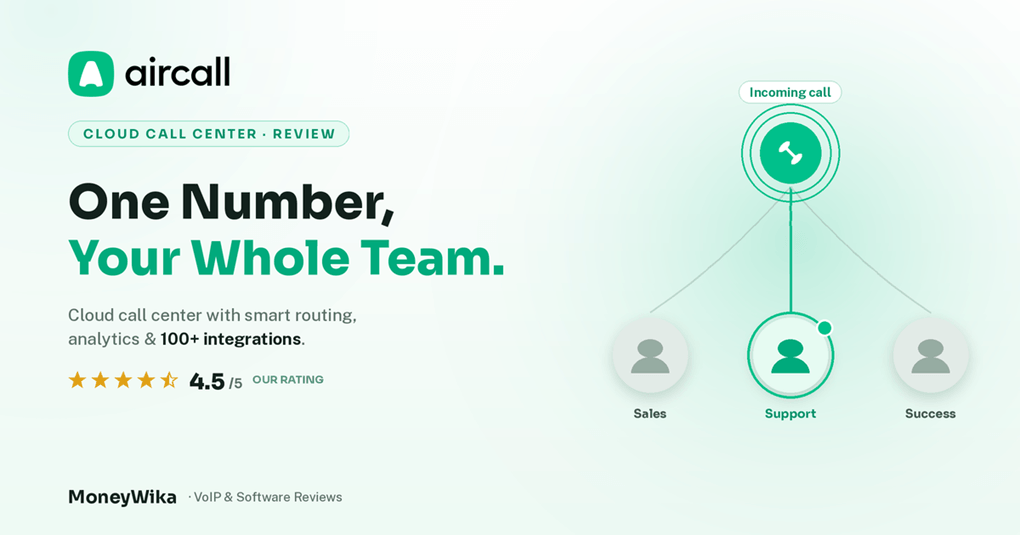
Aircall is a cloud phone system built for the teams that live on the phone all day: sales reps working a list, and support agents fielding whatever comes in. No desk phones, no PBX hardware, just a number your whole team can work from anywhere. Set up in minutes, not weeks. Its real selling point is not the calling. It is what happens around the call: the CRM logs it automatically, the recording and transcript attach themselves, and the manager sees the numbers without asking anyone. Here is how it works, what it costs in 2026, and where it stops making sense.
Ask a sales manager where their pipeline data goes wrong and you will usually get the same answer. The calls happen. The notes do not. A rep dials forty numbers, has six real conversations, and logs two of them, so by Friday the CRM is a partial record of a week nobody can reconstruct.
Aircall was built around that gap. It is a cloud-based phone and contact centre platform, which is a dry way of saying it puts your business number in an app on every laptop and phone, then wires that number directly into the software your team already works in. The call gets made, and the record of it writes itself.
Below we walk through what Aircall actually does, the features that earn their keep, who it suits, what it costs in 2026 including the add-ons that surprise people, and the honest reasons you might pick something else.
A 30 seconds look at how Aircall works in practice. Watch on Aircall ↗
What Is Aircall?
Aircall is a VoIP phone system that runs entirely in software. There is no hardware to buy and nothing to install in a server cupboard. You pick a number, invite your team, and everyone makes and takes calls through a desktop or mobile app over the internet.
That much is true of most modern cloud phone providers, including budget-friendly options we have covered like CallHippo and Calilio. What separates Aircall is where it sits in your stack. It is designed less as a standalone phone line and more as a calling layer bolted onto the tools your team already uses.
In practice that means the rep never leaves the CRM. A contact record has a click-to-call button. Dialling it opens Aircall, the conversation happens, and when it ends the call, its duration, the recording, the transcript and any tags land back on that record automatically. Nobody types a note. Nothing goes missing.
"The phone system is easy. Getting an accurate record of what was said, by whom, to which customer, without asking anyone to write it down, is the hard part."
Aircall serves both sides of the phone. Sales teams get outbound tooling like power dialling and call sequences. Support teams get inbound routing, IVR menus, business hours, shared inboxes and queue management. A lot of companies buy it for one and end up using both.
Key Features Worth Knowing About
100+ native integrations
Salesforce, HubSpot, Zendesk, Pipedrive, Intercom, Slack and Zoho connect natively, plus an open API and webhooks for anything custom.
Numbers in 100+ countries
Provision local, national or toll-free numbers in minutes so a distributed team can look local wherever its customers are.
Power dialler & click-to-call
Work through a list without manual dialling, and launch calls straight from a CRM record or web page in one click.
Smart routing & IVR
Build menus, ring groups, business hours and skill-based routing so calls reach the right person instead of the whole office.
Coaching tools
Call whispering lets a manager coach a rep mid-call without the customer hearing, and recordings make review sessions concrete.
Analytics & AI voice tools
Track volume, answer rates, missed calls and rep activity, with AI transcription and summaries available through paid add-ons.
If your team does not run on a CRM, most of Aircall's advantage evaporates and a cheaper VoIP line will do the same job. If your team does, this is where the value lives. It pairs particularly well with a sales-first CRM like the one in our Close CRM review, and you can push call events into wider workflows using the automation approach we cover in our Make.com review.
Who Actually Uses Aircall, and For What
Four patterns come up again and again. If you recognise your team in one of them, Aircall is probably on your shortlist for good reason.
Outbound sales teams
Reps work a list with the power dialler while every attempt, connect and outcome writes itself into the CRM. Managers get activity data that reflects what actually happened rather than what someone remembered to log.
Customer support desks
Inbound calls route through an IVR to the right queue, land next to the customer's ticket history in a helpdesk like Zendesk, and get recorded for quality review. Shared inboxes stop calls falling to one person.
Distributed and remote teams
Everyone works from the same business number on their own laptop, in whatever country they happen to be. Local numbers make the company look present in markets where it has no office.
Agencies and client-facing services
Separate numbers per client or campaign, routed to the right pod, with recordings and reporting that make billable phone work easy to evidence.
Aircall Pricing in 2026
Aircall publishes two plans and quotes a third. The important detail most comparison posts bury is that pricing is per licence with a three-licence minimum, so nobody actually pays $30 a month. The realistic entry point is $90.
The add-ons that change your bill
This is where budgets slip. Several things people assume are included are billed separately, and on a mid-sized team they add up quickly.
A five-person sales team on Professional is $250 a month before anything else. Add Analytics+ and a couple of extra numbers and you are closer to $340. Aircall bills per licence rather than per person, annual billing is meaningfully cheaper than monthly, and list price is often negotiable on longer commitments. Pricing and plan contents change, so confirm current rates on the official Aircall site before you commit.
Pros & Cons
👍 What we liked
- Best-in-class integration library, over 100 native apps
- Genuinely quick to set up, live in an afternoon with no hardware
- Local numbers in 100+ countries for distributed teams
- Clean, uncluttered interface that reps actually adopt
- Strong coaching tools: whispering, recordings, live monitoring
- Serves both outbound sales and inbound support well
- Reliable call quality on a decent connection
👎 What to watch
- Three-licence minimum makes the true entry price $90/month
- Pricier than budget VoIP rivals on a per-seat basis
- Key features sit behind add-ons, especially AI and analytics
- Billed per licence, not per person, which confuses forecasting
- Standard support is limited hours unless you are on Custom
- Overkill if your team does not run on a CRM
Should You Choose Aircall?
Choose Aircall if…
- Your team lives in a CRM or helpdesk you want calls logged into
- You run outbound sales and need dialling plus coaching
- You have at least three people who need a licence
- You want local numbers across several countries
- You value fast setup and adoption over rock-bottom price
Look elsewhere if…
- You are a solo operator or a two-person team
- Price per seat is your main decision criterion
- You just need a second business number, nothing more
- You want AI transcription bundled rather than as an add-on
- You need heavy contact-centre features at the entry tier
If you land in the second column, it is worth comparing against lower-cost options first. Our CallHippo review covers a cheaper per-seat alternative aimed at small teams, and if the goal is simply reaching more of the right people rather than dialling faster, an email-led approach like the one in our ActiveCampaign review may get you further for less.
Put your phone system where the work happens
Aircall connects your business number to the CRM and helpdesk your team already uses, so every call logs itself. Numbers in 100+ countries, no hardware, and a setup you can finish this afternoon.
Frequently Asked Questions
Published pricing starts at $30 per licence per month for Essentials and $50 for Professional, both billed annually. Paying monthly raises those to roughly $40 and $70. A Custom tier is quoted for larger deployments.
The number that catches people out is the three-licence minimum on every plan, which makes the smallest realistic spend about $90 per month rather than $30. Add-ons for AI, analytics and extra numbers sit on top of that.
Yes. Both are native integrations, and they are among the main reasons teams choose Aircall in the first place. Calls, recordings and outcomes sync back to the contact or deal record without manual logging.
The wider library covers more than 100 apps including Zendesk, Pipedrive, Intercom, Zoho and Slack, plus a public API and webhooks if you need to wire it into something custom. Note that the Salesforce integration sits on the Professional plan rather than Essentials.
Better is the wrong frame. They are aimed at different buyers. Budget providers win clearly on price per seat and suit small teams that mainly need reliable calling and a shared number.
Aircall wins on depth of integration, coaching tools and polish, which matter most when calls feed a CRM-driven sales or support process. If your workflow does not depend on that, you are paying for capability you will not use.
Aircall offers a free trial so you can provision a number and test calling, routing and the integrations that matter to you before paying. There is no permanently free plan.
Use the trial deliberately: connect your actual CRM, run real calls through it, and check that the data lands where you expect. That is the part worth validating, and it is much harder to judge from a demo.
VoIP is light on bandwidth but sensitive to stability. A steady connection with low latency and minimal jitter matters far more than raw speed, and a wired connection beats patchy WiFi every time.
Most call-quality complaints about any cloud phone system trace back to the local network rather than the provider. If you are rolling out to a remote team, it is worth checking connections before blaming the platform.
Yes. Aircall supports number porting, so you can bring an existing business number across rather than asking customers to learn a new one.
Porting timelines depend on your current carrier and country and can take from a few days to several weeks. Start the process early, and keep the old line active until the port completes so nothing drops in the meantime.
The Verdict
Aircall does one thing better than almost anyone: it makes the phone a first-class part of a software workflow. The integration library is the deepest in its class, setup is genuinely fast, and reps adopt it without a fight, which is not a small thing when you are rolling out to a sales floor.
For a support desk that needs proper routing, or an outbound team that needs dialling and coaching, it earns its price comfortably. The coaching tools in particular turn call reviews from vague conversations into specific ones.
The reservations are all commercial rather than technical. The three-licence minimum prices out the smallest teams, the per-licence model makes forecasting awkward, and the features people most associate with a modern phone system in 2026, especially the AI tooling, arrive as paid add-ons rather than in the box. Budget for the real total, not the headline.
Get a quote for your actual seat count, run the trial against your real CRM, and if the calls land where you need them, Aircall is one of the most dependable choices on the market.
This review reflects independent research, published third-party pricing sources and user feedback as of 2026. Aircall's plans, pricing, add-on costs, licence minimums and feature availability change over time and vary by region and negotiated contract, so always confirm current details on the official Aircall website before subscribing. This page may contain affiliate links, which means we may earn a commission at no extra cost to you if you sign up through them. Our ratings and editorial opinions are our own and are not influenced by these partnerships.