

MoneyWika earns a commission if you buy through some links on this page, at no extra cost to you. How we make money
Gamma is worth trying if you make presentations, one-pagers or simple websites and want a polished first draft in minutes. The free plan is enough to test it, and Plus costs $9 a month billed yearly.
Its October 2026 update, Gamma 5, added an agent that plans the story with you and a freeform canvas for exact edits.
Two catches before you pay. Free credits never refill, and Gamma refunds only within 3 days of subscribing.
Gamma at a glance
- Best for
- Founders, marketers, teachers and consultants who make decks and one-pagers often
- Price from
- $9 a month for Plus billed yearly ($108), or $12 month to month
- Free plan
- Yes: 400 credits at signup that don’t refill, up to 10 slides per prompt, Gamma branding
- What it makes
- Presentations, documents, websites, social posts and AI graphics
- Exports
- PowerPoint, PDF, PNG and Google Slides on every plan
- Watch out for
- Individual plans train on your content unless you opt out; refunds only within 3 days
How we reviewed Gamma: on October 30, 2026, we checked Gamma's US pricing and its help articles on credits, refunds and data use. We also read its product and funding news, plus G2 and Trustpilot reviews. We haven't used Gamma ourselves, so features and figures come from Gamma unless stated (see how we review software).
On this page: What it does · Features · Pricing · Credits · User reviews · Privacy · Refunds · Who runs it · Pros and cons · Who should skip it · Alternatives · Verdict · FAQ
What Gamma does
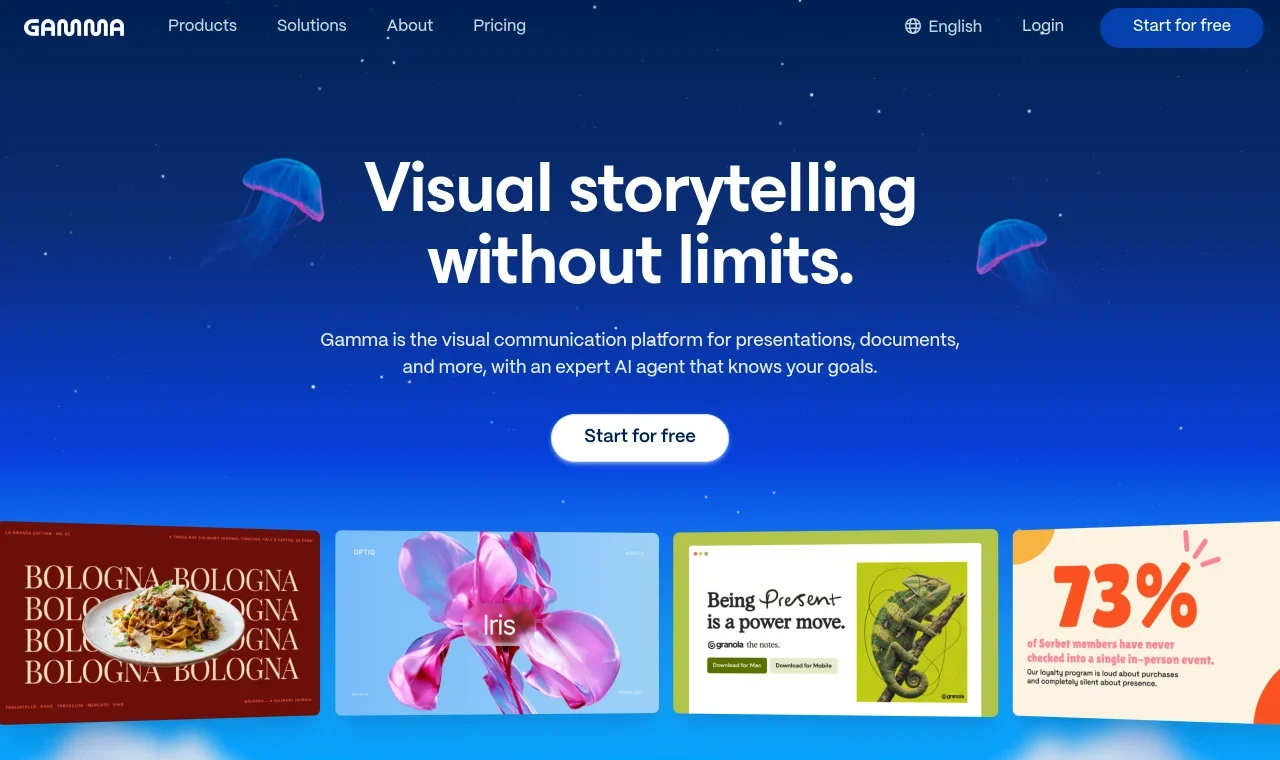
Gamma is an AI tool for making presentations, documents, websites and social graphics. You describe what you need or import a file, and its agent drafts both the content and the design.
Gamma 5, released on October 6, 2026, rebuilt the product around that agent. The agent now asks about your idea before it designs anything, and it keeps that context as you edit (source).
More than 100 million people have used Gamma, according to the company. Its users range from teachers and solo founders to large companies.
The features that matter
- Agent-led drafting. The agent talks through your idea first and starts with an outline, so you can shape the story before the design. You can keep chatting with it beside your deck.
- Freeform editing. You can switch between asking the agent for changes and moving elements yourself on a freeform canvas. Smart layouts let you drop in ready-made structures.
- Import and export. Gamma says it imports PowerPoint files and PDFs with their design intact. Every plan, including Free, exports to PDF, PowerPoint, PNG and Google Slides.
- Websites. You can publish a gamma as a live site and share the link. Pro adds up to 10 custom domains, and Ultra up to 100.
- Graphics and charts. Since March 2026, Gamma Imagine makes standalone logos, infographics, diagrams and social posts. Smart Charts build branded bar charts, funnels and heatmaps (source).
- Connectors and API. Gamma pulls content from Slack, Notion, Dropbox and 25+ other tools, and you can start a gamma from Claude, ChatGPT or Slack. Its API works on every plan, directly or through Zapier and Make, and uses credits.
- AI models. Gamma says it uses text models from Anthropic, OpenAI and Google. Image options include Flux, Ideogram, Recraft and Leonardo, with premium models on Pro and above.
Gamma pricing in 2026
Gamma has four plans for individuals and two for organizations, and paid plans are priced per seat. Prices below are in US dollars and were checked on October 30, 2026, so confirm them on Gamma's site before you buy.
| Plan | Billed monthly | Billed yearly | AI credits | Main extras |
|---|---|---|---|---|
| Free | $0 | $0 | 400 at signup, no refills | Up to 10 slides per prompt, all exports, Gamma branding |
| Plus | $12 a month | $9 a month ($108 a year) | 1,500 a month | Up to 100 slides per prompt, no Gamma branding, advanced image models |
| Pro | $25 a month | $18 a month ($216 a year) | 4,000 a month | Premium image models, custom branding, analytics, up to 10 custom domains |
| Ultra | $100 a month | $90 a month ($1,080 a year) | 20,000 a month | Most advanced text, image and video models, up to 100 custom domains |
| Business | Not listed | $40 per seat a month ($480 a year) | 10,000 per seat a month | Shared workspace credits, SSO, advanced data controls |
| Enterprise | Custom | Custom | SCIM, invoicing, priority support and onboarding | |
Sources: Gamma pricing, Gamma help center on credits.
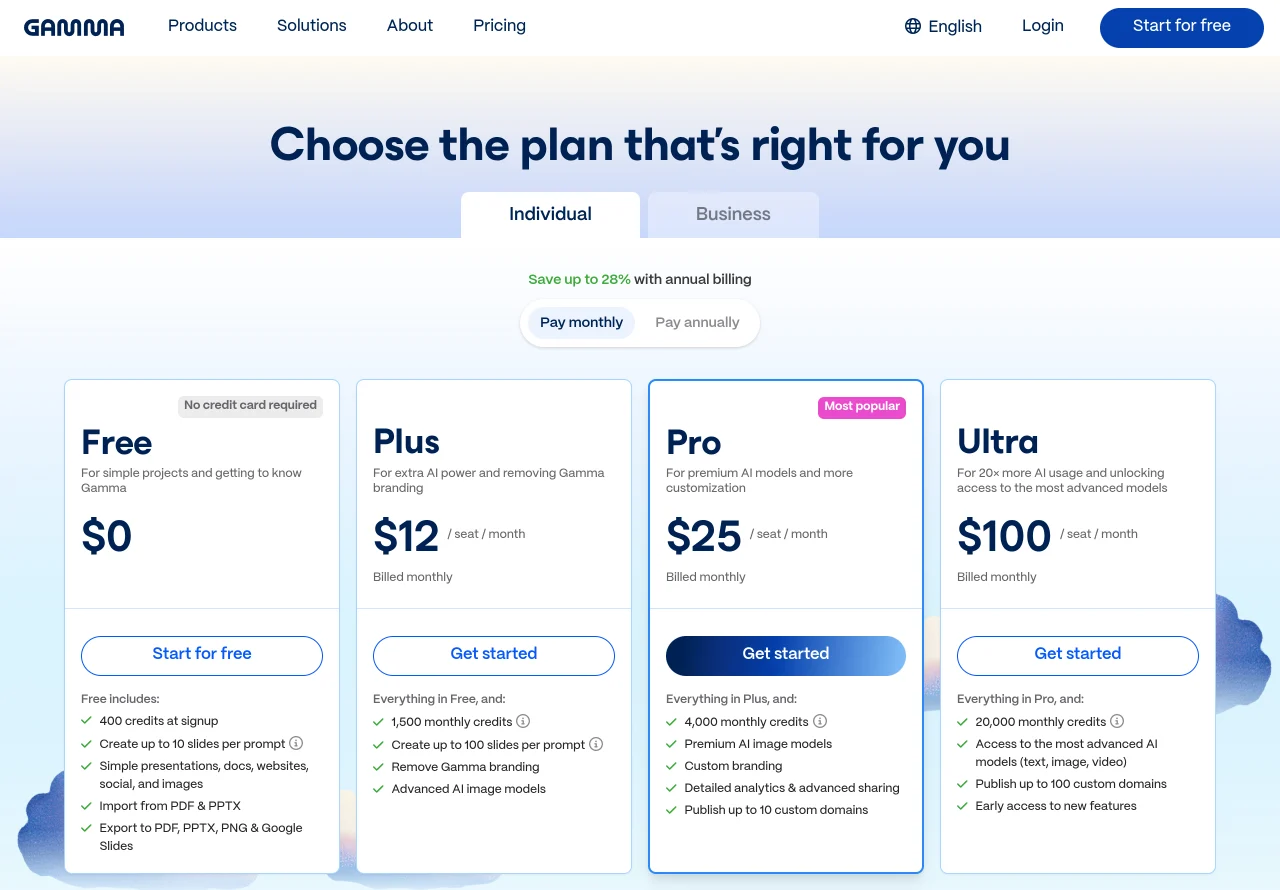
Paying yearly saves 25% on Plus and 28% on Pro, based on the prices above. Ultra saves only 10%.
You can upgrade, downgrade or cancel any time in Settings & members. After you cancel, you keep paid features until the billing period ends, then move to the free plan with your content intact.
Try Gamma before you pay. The free plan includes 400 credits and exports to PowerPoint, and you don't need a credit card.
Try Gamma freeHow Gamma credits work
Every AI action uses credits, from generating slides and images to agent edits and new layouts. Gamma meters generation per slide and per image, and the cost varies with the model and the length.
Here's what Gamma's help center says:
- Free plan: You get 400 credits at signup, and they never refill. You can earn 200 more for each friend you refer, holding up to 2,000 at a time.
- Paid plans: Credits refill each month on your billing date, including on yearly plans.
- Rollover: Unused plan credits roll over up to twice your monthly amount, so Plus can hold 3,000.
- Extra credits: Paid plans can buy more credits, which don't expire while your plan is active.
- Failed actions: You aren't charged when an AI action fails or the agent asks you a clarifying question.
Gamma doesn't publish a fixed credit price per deck, but image tools show the cost before you generate. Manual edits never use credits, so fix small things by hand.
What users say about Gamma
Ratings depend heavily on where you look. We checked these on October 30, 2026:
- G2: 3.9 out of 5 from 39 reviews (source).
- Trustpilot: 1.6 out of 5 from 129 reviews, 75% of them 1-star (source). Gamma hasn't claimed this profile or invited reviews, so it skews toward complaints.
Most Trustpilot complaints are about billing. Reviewers describe renewals without a reminder email, charges after cancelling and refunds refused after the 3-day window.
Others say the agent claimed to make changes it didn't make, or that exported slides overflowed. One reviewer also called Gamma 5 a step backwards for paying users.
Privacy and data
On Free, Plus, Pro and Ultra, Gamma's default setting allows your content to be used to train its AI features. You can opt out any time in Settings, under the Data Controls tab (source).
Business and Enterprise workspaces are always excluded from training, and that setting can't be changed. Gamma says it's SOC 2 Type II compliant, and Business adds SSO and SOC 2 documentation on request.
Refunds and cancelling
Gamma's refund policy is strict. You must contact support within 3 days of subscribing, and you must have used less than a set share of your credits.
| Plan | Monthly credits | Refund possible if you've used fewer than |
|---|---|---|
| Plus | 1,500 | 300 credits |
| Pro | 4,000 | 600 credits |
| Business | 10,000 | 1,000 credits |
| Ultra | 20,000 | 2,000 credits |
After 3 days, Gamma issues no refunds except where the law requires one. Cancelling within the window doesn't refund you automatically, so ask support directly.
Who runs Gamma
Gamma is made by Gamma Tech, Inc., based in San Francisco, and its co-founder and CEO is Grant Lee. In November 2025, it raised $68 million at a $2.1 billion valuation in a round led by Andreessen Horowitz (source).
At the time, Gamma said it had passed $100 million in annual recurring revenue and been profitable for over two years. That's a good sign for a tool you'd trust with years of company decks.
Gamma pros and cons
Pros
- Free plan with no credit card, including PowerPoint and Google Slides export
- Drafts decks, docs, sites and graphics from a prompt or an imported file
- Mix agent edits with freeform design control
- Plus costs $9 a month billed yearly
- API and connectors for Slack, Notion, Zapier and Make
- Established, profitable company with SOC 2 Type II
Cons
- Free credits never refill
- No fixed credit cost per deck, so heavy users can run short
- Refunds only within 3 days and under a credit limit
- Each invited member adds a paid seat on individual plans
- Individual plans train on your content unless you opt out
- Many billing complaints on Trustpilot
Who should skip Gamma
- You need exact PowerPoint layouts. Some reviewers say exported slides overflow, so plan time for cleanup in PowerPoint.
- You make a deck once or twice a year. The free plan, or the AI tools already in PowerPoint or Google Slides, may be enough.
- You handle confidential client work on a personal plan. Opt out of AI training first, or use a Business workspace.
- You want time to test a paid plan. The refund window is only 3 days, so do your testing on the free plan.
- You need logins or payments on your site. Gamma publishes simple sites from your content, but it doesn't list app features like these. Look at a website builder or an agent such as Runable.
Gamma alternatives
| Tool | Pick it if you mainly need | More |
|---|---|---|
| Runable | One AI agent for slides plus websites with payments, videos and ads; Pro is $20 a month | Our Runable review |
| Canva | A full design suite for slides, social posts and print; Pro is $144 a year for one person | Canva pricing |
| Microsoft PowerPoint | To stay in Microsoft 365, with Copilot drafting slides inside PowerPoint | PowerPoint |
| Google Slides | To stay in Google Workspace, with Gemini built into Slides | Google Slides |
| Beautiful.ai | Templates that keep slides tidy as you add content | Beautiful.ai |
Canva details come from its US pricing page, checked on October 30, 2026. We haven't reviewed Canva, PowerPoint, Google Slides or Beautiful.ai.
Pick Gamma if slides and one-pagers are most of your work and you want them on-brand fast. If you'll turn those decks into narrated videos, see our FlexClip review and ElevenLabs review for editing and voiceovers.
Verdict: is Gamma worth it?
Gamma is one of the quickest ways to turn notes, a prompt or an old file into a polished deck, doc or simple website. The free plan lets you test it, and Plus at $9 a month billed yearly suits most solo users.
Watch your credits, opt out of AI training if your content is sensitive, and decide within 3 days if you might want a refund.
Teams that share brand templates should compare Pro with Business, since Business always keeps your content out of AI training.
Gamma FAQ
Is Gamma free?
Yes. The free plan includes 400 credits at signup, up to 10 slides per prompt and exports to PowerPoint, PDF and Google Slides. The credits don’t refill, and free gammas carry Gamma branding.
How much does Gamma cost?
In US dollars, Plus is $12 a month or $9 a month billed yearly. Pro is $25 or $18, and Ultra is $100 or $90. We checked these prices on October 30, 2026.
Can I export Gamma to PowerPoint?
Yes, on every plan. You can export to PowerPoint, PDF, PNG and Google Slides, and import PowerPoint files and PDFs.
Does Gamma use my content to train AI?
On individual plans, yes by default, but you can opt out in Settings under Data Controls. Business and Enterprise workspaces are always excluded.
Can I get a refund from Gamma?
Only within 3 days of subscribing, by contacting support, and only if you’ve used fewer credits than a set limit. On Plus, that limit is 300 credits.
Do Gamma credits roll over?
Yes. Unused plan credits roll over up to twice your monthly amount. Credits you buy separately don’t count toward that cap.
What is Gamma 5?
Gamma 5 is the version released on October 6, 2026. It adds an agent that develops your idea with you, more visual styles, a freeform canvas and new connectors.
More in AI & Productivity Tools
- Runable Review 2026: What the AI Agent Builds and What It Costs
- MagicLight AI Review 2026: Pricing, Credits and Video Quality
- ElevenLabs Review 2026: Pricing, Credits and Overage Costs
- FlexClip Review: AI Video Editor Features and Pricing (2026)
- TruthScan Review 2026: Can It Spot AI-Faked Images and Documents?