

MoneyWika earns a commission if you buy through some links on this page, at no extra cost to you. How we make money
MoneyWika is an Amplemarket partner and may earn from this post.
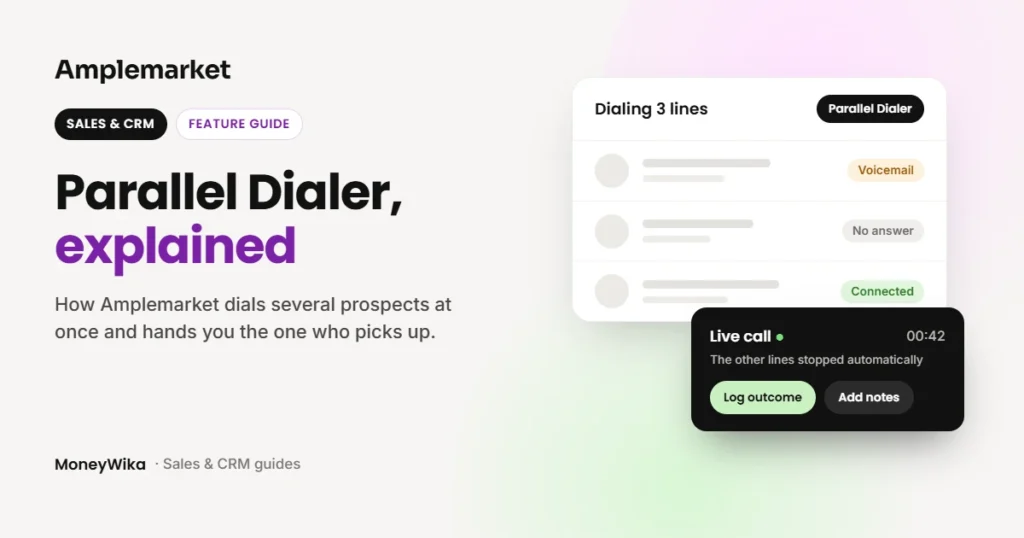
Parallel Dialer is Amplemarket's built-in dialer for high-volume calling. It rings up to five prospects at once and connects the rep to the first person who picks up. The other calls stop automatically.
It suits SDR teams that make a lot of cold calls from Amplemarket sequences. It is an add-on: only reps with a Parallel Dialer seat can use it, and you request it through your Amplemarket account team.
Two cautions before you turn up the line count. Amplemarket says dialing too aggressively can hurt caller ID reputation and the prospect experience. Its help center also says compliance with calling rules is your responsibility.
Parallel Dialer at a glance
- Best for
- SDR teams that cold call from Amplemarket sequences
- What it does
- Dials 2 to 5 prospects at once and connects the first live answer
- Modes
- Power (1 line), Parallel (2 to 5 lines) and click-to-call
- Caller ID
- Smart Rotation across your numbers, plus Local Presence
- Logs to
- Salesforce and HubSpot
- Availability
- Add-on seat, requested through your Amplemarket account team
- Watch out for
- Caller ID reputation, and Do Not Call screening covers US numbers only
How we researched this: on October 26, 2026, we read Amplemarket's dialer page, help center guide, Parallel Dialer explainer and monthly product updates. We haven't used the dialer ourselves, so the figures below are Amplemarket's own (see how we review software).
On this page: What it is · How it works · Features · Setup · Compliance · Limits · Our take · FAQ
What the Parallel Dialer is
A parallel dialer places several calls at the same time and connects the rep only when a real person answers. The rep skips the ringing, voicemails and busy signals that fill most of a calling session.
Amplemarket's version is built into the platform and works from the call tasks your sequences already create. Amplemarket wrote about it in September 2026, and it first appears in the August 2026 product roundup.
How a parallel dialing session works
- Pick your call tasks. Start a session from your call tasks. You can filter them first by sequence, the prospect's local time or account.
- Several calls go out. The dialer rings the next prospects at once, up to your line setting.
- Each line is watched. It tracks whether a call is ringing, hits voicemail, is busy, fails or reaches a person.
- You are connected. When a live person answers, you join that call and the contact's page opens.
- The rest stop. The other calls end automatically.
- Log and continue. You record the outcome and notes, and the next round starts.
Interested in the Parallel Dialer? Visit Amplemarket's site, or ask your account team about dialer seats.
Visit AmplemarketThe features that matter
- Two modes in one dialer. One line runs as a Power dialer, and 2 to 5 lines run in Parallel mode. Click-to-call is still there for hot leads.
- Line settings. Each rep sets a default number of lines in their own Calls settings and can change it before a calling session.
- Caller ID rotation. Smart Rotation picks a caller ID for each prospect and can spread simultaneous calls across your numbers. Amplemarket's dialer page also lists Local Presence.
- Call intelligence. Calls come with transcripts, summaries, insights and coaching.
- Voicemail Drops. Amplemarket's dialer added them in July 2026. Its Parallel Dialer pages don't say whether they work in parallel sessions.
- Admin controls. Since September 2026, admins can keep reps' personal numbers out of rotation. They can also set call recording to Always, Never or "Let users choose", which is the default.
- CRM logging. Calls from the native dialer can be logged to Salesforce or HubSpot.
Amplemarket shares early figures from customers who use the Parallel Dialer. They show up to 5x more calls in the same time and around 2 to 3x more meaningful conversations. They also show around 75% less time spent dialing. These are Amplemarket's numbers, and your results will depend on your lists and your market.
Setup checklist
Amplemarket's help center lists what to have ready before the first session:
- A Parallel Dialer seat for every rep who will dial
- Calling numbers for the countries you call
- Calling settings and Do Not Call settings configured
- A working microphone and audio
- A starting point of 2 or 3 lines
Amplemarket adds that more lines don't always mean better results, because aggressive dialing can affect caller ID reputation and the prospect experience.
If you are coming from Duo leads, our guide to Amplemarket Duo Copilot explains where those call tasks come from.
Compliance: what Amplemarket does and doesn't do
Amplemarket offers Do Not Call screening that an admin turns on. It checks US numbers against the FTC registry and flags matches, but it does not block those calls automatically.
The help center is clear that telemarketing rules and opt-outs are the customer's responsibility, and it suggests talking to a lawyer. It also notes that third-party dialers may not receive the Do Not Call tags.
Limits and who should skip it
Where it helps
- Skips ringing, voicemail and busy lines
- Works from your existing sequence call tasks
- Caller ID rotation and Local Presence
- Transcripts, summaries and coaching on calls
What to watch
- It is an add-on, with seats assigned per rep
- More lines can hurt caller ID reputation
- The productivity figures are early data from Amplemarket's own customers
- Do Not Call screening flags US numbers only and doesn't block calls
Skip the Parallel Dialer if your team makes only a handful of calls a day. Click-to-call will do, and extra lines add risk without much gain.
Want a phone system outside Amplemarket? Our CallHippo review covers a dialer with a power mode. Our Aircall review covers a cloud phone system for sales and support teams.
Our take: worth asking about if your reps cold call every day
The Parallel Dialer fits SDR teams that already sequence in Amplemarket and spend hours on the phone. It is designed to cut the wait between conversations, inside the platform your reps already use.
Start with two or three lines, watch your connect rate and caller ID health, and settle your Do Not Call process before you scale. Amplemarket's productivity figures are promising, but they are its own.
Parallel Dialer FAQ
What is a parallel dialer?
It is a dialer that calls several prospects at the same time and connects the rep to the first person who answers. The dialer handles calls that reach voicemail, a busy line or no answer, so the rep joins live conversations.
What is the difference between power and parallel dialing?
A power dialer calls one number after another on a single line. Amplemarket's dialer runs as Power with one line and as Parallel with 2 to 5 lines.
How many lines can Amplemarket's Parallel Dialer use?
Up to five at once. Amplemarket suggests starting with two or three, because more lines can affect caller ID reputation and the prospect experience.
What happens to the other calls when someone answers?
They stop automatically, and the rep is connected to the person who answered.
Does the Parallel Dialer work with sequences?
Yes. Sessions start from the call tasks your Amplemarket sequences create, and you can filter them by sequence, local time or account.
Is parallel dialing legal?
Amplemarket doesn't make legal claims about it. It offers Do Not Call screening for US numbers and says compliance with calling rules is the customer's responsibility. Check with a lawyer for your market.
More in Sales, CRM & Business Phones
- Amplemarket Duo Copilot: How the AI Sales Assistant Works
- CallHippo Review 2026: Pricing, Power Dialer and Add-On Costs
- Aircall Pricing and Review (2026): Seat Minimums and Add-Ons
- Close CRM Review 2026: Built-In Calling, Pricing and Who It's For
- Calilio Review 2026: AI VoIP Pricing, Features and Who It Suits