
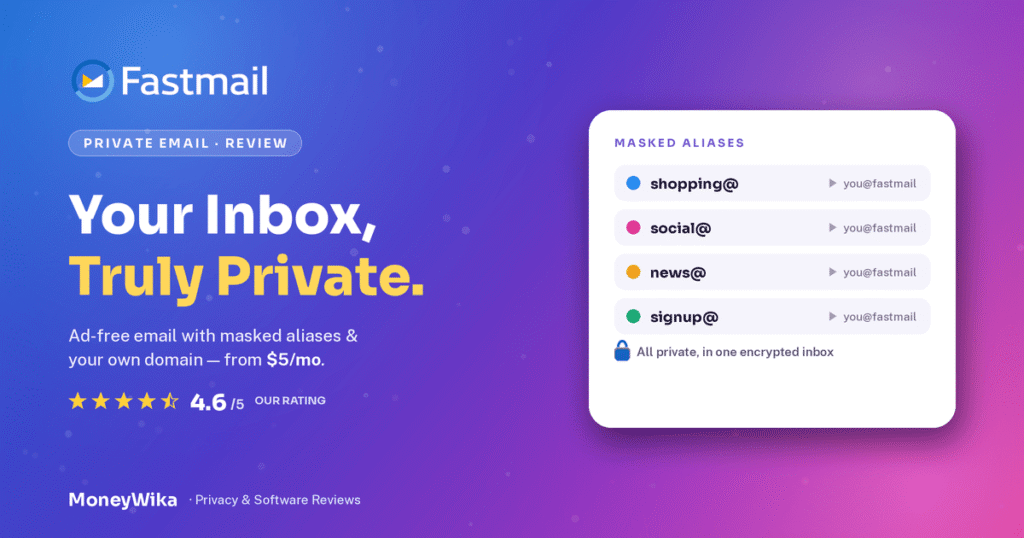
Fastmail has been selling paid email since 1999, which means it predates Gmail by five years and has never needed an advertising business to survive. You pay, it works, nobody reads your mail to sell you things. That is the entire proposition and it has not changed in a quarter of a century. What people actually want to know is whether it is worth leaving a free inbox for, and which of the six plans to buy. The answer depends on one feature, custom domains, and on a pricing detail most guides get wrong: Fastmail runs separate personal and business plan families, and the cheapest business tier is not the cheapest way in. Here is the whole picture, including the limitation privacy enthusiasts should know about before switching.
The moment most people start considering paid email is not a privacy epiphany. It is a small embarrassment. You send a proposal from a Gmail address, the client replies to a colleague, and you realise your quote for four thousand pounds arrived from something that looks like a hobby.
That is the practical case for Fastmail, and it is a stronger one than the privacy pitch, though the privacy pitch is real too. An address at your own domain costs about the same as a coffee a month and changes how your business reads to strangers.
Fastmail itself is an unusual company. Founded in Melbourne in 1999, independent, funded entirely by subscriptions, and technically serious in a way that shows: its engineers co-created JMAP, the modern sync protocol that replaced the creaking parts of IMAP. People who write software for a living tend to like it, which is usually a decent signal.
I want to do the plans properly, because Fastmail's pricing page has a genuine trap in it, and then be straight about the one thing it does not do.
What you are actually buying
Three apps and a promise. The apps are mail, calendar and contacts, with notes and a modest amount of file storage alongside. The promise is that none of it is monetised by looking at your data.
It helps to be precise about what that promise covers, because the word privacy has been stretched thin by marketing. Fastmail does not run ads. It does not build an advertising profile from your messages. It does not feed your mail into a model. Its revenue comes from subscriptions, so your inbox is the product you bought rather than the product being sold.
What it is not is an office suite. There are no documents, no spreadsheets, no video calls, no team chat. If you are comparing it to a full productivity bundle, you are comparing the wrong things. Fastmail competes with the mail part, and it wins that comparison on interface and speed while losing on everything the bundle throws in for free.
Buying Fastmail to replace a full office suite is like buying an excellent kettle to replace a kitchen. Right tool, wrong scope.
The other thing worth understanding up front is the split between plan families. Fastmail sells Individual, Duo and Family on one side, and Business Basic, Standard and Professional on the other. They overlap in price and storage, and picking the wrong family is the most common way to overpay. More on that shortly.
The features that actually matter
Every plan includes the fundamentals: ad-free interface, two-factor authentication, migration tools, spam and virus filtering, undo send, scheduled send, snooze, and web and mobile apps with push. Here are the six worth choosing the product for.
Custom domains, plural
Point your own domain at Fastmail and send from [email protected]. Multiple domains per account, and Fastmail will walk you through the DNS. This is the feature most people are buying.
Masked Email
Generate a random address for every site you sign up to, with 1Password integration. When one starts getting spam, you disable that one address and learn exactly who sold your details.
Search that actually works
Instant server-side search across your whole archive, no desktop client required. It is the feature people mention most often after switching, and the hardest to appreciate until you have it.
JMAP and open standards
Full IMAP, SMTP, CalDAV and CardDAV support plus JMAP, which Fastmail's team helped create. Your mail works in Outlook, Apple Mail or anything else, and leaving is always possible.
Shared addresses and calendars
On Standard and above, a shared support@ or hello@ inbox that several people can read and answer, plus shared calendars and a company address book.
Retention archive on Professional
A tamper-proof email retention archive for teams with legal or compliance obligations. Niche, but if you need it, it is the only reason to be on the top tier.
One mistake worth naming early: do not send marketing email from your Fastmail address. Mailboxes are built for conversations, not campaigns, and blasting a list from one is the fastest route to a damaged sending reputation on the domain you rely on for actual client mail. Use a proper platform for broadcasts, which is what our ActiveCampaign review covers, and keep your inbox for replies. The two jobs look similar and are not.
Every plan, and the trap in the middle
Six published plans across two families. Prices below are per user per month, showing monthly billing first and the annual rate second, and all figures exclude tax.
Personal plans
Business plans
At $3 a user annually, Business Basic looks like the obvious choice for a small team. It is usually the wrong one. 5 GB of mail storage will not last a working inbox many years, and Basic excludes the shared addresses, shared calendars and company address book that are the actual reason to run a business account rather than three personal ones.
Two dollars more per user buys 50 GB and all of the sharing. For a four-person team that is $96 a year, and it is the difference between a mail service and a team mail service. Basic earns its place for a rarely used role address or a seat that only needs to receive, not for your main team.
Solo users: buy Individual, not Business Basic
This is the arithmetic nobody spells out. Individual and Business Standard both cost $5 a month on annual billing and both give you 50 GB. If you are one person, the Individual plan gives you everything you need at the same price as the mid business tier, and for $2 less than nothing useful. Business plans earn their money on shared inboxes and admin controls, which a single user has no use for.
Multi-year billing goes further
Beyond annual, Fastmail discounts two and three-year prepayment. The savings are modest but real, and worth it if you are confident you are staying.
Note the shape of that. Going from monthly to annual saves about 17%. Going from annual to three years saves another 7%. The first commitment is worth making, the second mostly is not unless you are certain, and Fastmail applies pro-rated credits if you change or cancel anyway.
A detail worth knowing: business accounts can mix plans across users. Your accounts lead who needs the retention archive goes on Professional, everyone else sits on Standard, and a shared info@ seat runs on Basic. On a ten-person team this is a few hundred dollars a year, and it takes about two minutes to set up. Most companies buy one tier for everybody and never revisit it.
While researching this I found several 2026 pricing pages listing Basic at 2 GB and Standard at 30 GB. Those are pre-2024 numbers. Fastmail raised storage on both tiers and said at the time it had updated existing users at no extra cost, so the current figures are 5 GB and 50 GB. One aggregator also lists Business at $1,320 rather than the published rates, which looks like an annualised total presented as a monthly price. Check the official pricing page for the figure you will actually be charged, in your own currency, since Fastmail now bills in over 20.
The encryption question, answered straight
If you are shopping for private email you have probably also looked at Proton Mail and Tuta. This is where they differ, and it is the single most important thing to understand before switching.
Fastmail does not offer end-to-end encryption of your mailbox. Your mail is encrypted in transit and at rest, but Fastmail holds the keys, which means Fastmail can technically access message content. Proton and Tuta encrypt with keys only you hold, so they cannot.
That is not a scandal, and Fastmail does not hide it. It is a deliberate trade. Server-side encryption is what makes instant full-archive search possible, what keeps standard IMAP and CalDAV working with any client, and what lets the thing feel fast. Fully encrypted providers give up some of that, which is why their search and third-party app support are weaker.
Fastmail's published position is that access is governed by least-privilege internally, requiring a specific justified request rather than casual browsing. Reasonable, and worth exactly as much as your trust in the company.
Fastmail is Australian, which is sometimes marketed as a privacy advantage because it sits outside US legislation. Be sceptical of that framing in both directions. Australia has its own compulsory-assistance regime under the Assistance and Access Act 2018, and Australia is a member of the Five Eyes intelligence arrangement.
The practical conclusion is unglamorous: Fastmail is excellent at keeping your mail away from advertisers and data brokers, which is what nearly everyone actually wants. It is not designed to withstand a lawful demand from a government. If your threat model genuinely includes state actors, you want end-to-end encryption and you should be reading a different review.
Who this actually suits
Freelancers and consultants
The clearest case. Individual at $5 a month puts your quotes and proposals on your own domain, and Masked Email keeps the rest of the internet away from that address. If you are already paying for a virtual business address, matching it with a proper email is the cheap half of looking established, and our Opus Virtual Offices review covers the other half.
Small teams that need shared inboxes
A support@ or bookings@ address that three people can read and answer, without forwarding rules held together with hope. Standard at $5 a user does this properly. It is not a helpdesk, so if you need ticketing and SLAs you will outgrow it, but for a team of four it is usually enough.
Families wanting off ad-supported email
Six accounts, 50 GB each, shared calendars, $11 a month annually. Getting your household off advertising-funded mail for under two dollars a head is the most straightforwardly good deal Fastmail offers, and the reviews reflect that.
Developers and technical users
JMAP, complete open-standards support, app passwords and granular session management. This is the group most visibly enthusiastic about Fastmail, and the recurring theme in their feedback is support tickets answered by people who understand the protocol.
Anyone running a business on a domain they own
If the domain you want is already registered, that is the first thing to solve, and the aftermarket is where it happens. Our Sedo review covers what buying a taken domain actually costs. Once you own it, the DNS lives wherever your site is hosted, which for most people means a provider like the ones in our Cloudways review.
How to switch without losing anything
Email migration has a reputation for going badly, mostly because people do the steps in the wrong order. Thirty days of free trial is plenty if you use it deliberately.
Start the trial before you touch any DNS
Sign up, look around, send a few messages from the trial address. The trial needs no card and gives you full access to every feature, so you can test masked email and calendar sync before committing anything that affects live mail.
Import your old mail first, domain second
Use the built-in migration tools to pull your existing mail, contacts and calendars across while your old provider is still receiving everything. Verify the archive looks right and search works. Only then change where your domain points.
Set the DNS records properly, all of them
MX records route the mail. SPF, DKIM and DMARC decide whether anyone believes it is really from you. Fastmail generates what you need, but you have to paste it into whoever manages your domain, and skipping the authentication records is why a switched domain suddenly lands in spam.
Keep the old account alive for a month
DNS propagation is quick these days but stragglers happen, and some contacts will have your old address saved. Leave the previous mailbox running and forwarding for at least thirty days. Cancelling it the same afternoon is the one genuinely irreversible mistake available here.
Adopt Masked Email from day one
Use a masked address for every new signup rather than your real one. It costs nothing, it is trivial with a password manager, and in a year you will be able to switch off a leaking address instead of filtering spam forever. Retrofitting this later is far more work than starting with it.
Export a backup once you are settled
Whoever hosts it, your mail archive is a decade of contracts, receipts and decisions sitting in one account. Pull a periodic export somewhere you control. Fastmail's open-standards support makes this easy, and if you do not already have somewhere to put it, our iDrive review covers cheap options.
Aliases to recreate, filters and rules you rely on, addresses that need updating with banks and suppliers, your DNS records, and the date you can safely close the old account. A switch takes an hour if you have a list and a fortnight of irritation if you do not. Anything works as a scratchpad, and RytePad's roundup of the best online notepads covers free options.
Pros and cons
👍 What we liked
- Independent and subscription-funded since 1999, with no ad business
- The fastest, cleanest webmail interface in the category
- Instant server-side search across the whole archive
- Custom domains done well, with multiple domains per account
- Masked Email is genuinely useful and integrates with 1Password
- Full open-standards support, so your mail is never locked in
- Family plan is exceptional value at under $2 per person
- Support answered by people who understand email
- 30-day trial with no card, and pro-rated credits on changes
👎 What to watch
- No end-to-end encryption, unlike Proton or Tuta
- Business Basic's 5 GB is too small for a working inbox
- No documents, spreadsheets, video calls or team chat
- No permanent free tier, only a trial
- Two overlapping plan families make choosing needlessly confusing
- Australian jurisdiction is not the privacy shield it is sold as
- Pricier than bargain custom-domain email hosts
- Shared inboxes are not a substitute for a real helpdesk
Worth paying for if…
- You want professional email on a domain you own
- You are tired of your inbox funding an advertising business
- You value speed, search and a clean interface over bundled extras
- Your household or small team needs several accounts cheaply
- You care about open standards and being able to leave
Probably not if…
- You need end-to-end encryption against a serious threat model
- You want documents, storage and video calls in one subscription
- Lowest possible price per mailbox is the deciding factor
- You are happy with free email and nobody judges your address
- You need ticketing, routing and SLAs rather than a shared inbox
One more boundary worth drawing. Email is not the only channel your customers use, and a mailbox will not cover phone calls, queues or call logging however good it is. Those are a different category of tool entirely, which our Aircall review gets into. Treat Fastmail as the correspondence layer and buy the rest separately.
Email on your own domain, from $5 a month
Thirty days free with no card required, full access to every feature, and migration tools that bring your existing mail, contacts and calendars across. Individual from $5 a month annually, or six family accounts for $11.
No credit card for the trial · no ads or tracking · pro-rated credits if you change plans
Frequently asked questions
Six plans across two families. Personal: Individual at $6 a month or $5 annually, Duo at $10 or $8, Family at $14 or $11 for up to six users. Business, per user: Basic at $4 or $3, Standard at $6 or $5, Professional at $10 or $9. All figures exclude tax.
Two and three-year prepayment drops the rate further, taking Standard to about $4.75 and $4.67. Annual billing is the saving worth taking, roughly 17%; the multi-year discounts add only a few percent more.
If you are one person, Individual. It costs the same $5 a month annually as Business Standard and gives you the same 50 GB, and the business features you would be paying for, shared inboxes and admin controls, are useless to a single user.
If you are a team, Business Standard. Skip Basic despite the lower price: its 5 GB will not last and it excludes the shared addresses and calendars that justify a business account in the first place. Go to Professional only if you need the retention archive for compliance or genuinely use more than 50 GB. For a household, Family is the best value on the page.
No, and this is the most important thing to understand before switching. Your mail is encrypted in transit and at rest, but Fastmail holds the keys, so it can technically access message content. Proton Mail and Tuta use keys only you hold and cannot.
It is a deliberate trade rather than an oversight. Server-side access is what makes instant full-archive search work and keeps standard IMAP, CalDAV and third-party apps functioning smoothly, which is exactly where fully encrypted providers are weaker. Fastmail is very good at keeping your mail from advertisers and data brokers. It is not built to resist a lawful government demand, and Australia has its own compulsory-assistance legislation, so if state actors are in your threat model you want a different product.
No. There is a 30-day free trial with no credit card required and full access to every feature on any plan, but no permanent free tier and no ad-supported option.
That is the point rather than an omission. Fastmail's whole argument is that subscriptions, not advertising, are what pay for the service, and a free tier would undercut it. Use the trial properly: import your real mail, test search and masked email, and decide on evidence rather than the marketing.
Yes, and it is the main reason most people pay. You can point multiple domains at one account and send from addresses on any of them, whether you bring an existing domain or register one through Fastmail. It handles the DNS guidance.
Custom domain support is available across the plans including Business Basic, but the practical caveat is storage: Basic's 5 GB is thin for a working inbox. Also set SPF, DKIM and DMARC alongside the MX records. Skipping the authentication records is the usual reason a freshly migrated domain starts landing in spam folders.
On email alone, Fastmail generally wins. The interface is faster, search is excellent, there are no ads, and your messages are not used to build an advertising profile or train models. Masked Email has no real equivalent.
On everything else, it is not a contest, because Fastmail is not competing. There are no documents, spreadsheets, video calls, team chat or large cloud storage. If you need a productivity suite, a mail provider is the wrong purchase. If you need mail that is genuinely good and nothing more, that is precisely what Fastmail sells.
Yes, and on a team of any size you should. Business accounts allow different licences per user, so one person who needs the retention archive sits on Professional while everyone else runs Standard, and a rarely used role address can sit on Basic.
Most companies pick one tier for everybody at signup and never revisit it, which usually means overpaying for the whole team to serve one person's requirement. The setup takes a couple of minutes and can save a few hundred dollars a year on a ten-person account.
The verdict
Twenty-seven years of independent operation, funded by customers rather than advertisers, is a rare thing on the modern internet and it shows in the product. Fastmail is fast, the search is genuinely excellent, custom domains are handled properly, and Masked Email is one of those small features that changes a habit permanently. The Family plan at $11 a month for six people is the kind of pricing that makes you check whether you have read it correctly.
The pricing page is the weakest part of the experience, and not because it is expensive. Two overlapping plan families, a cheap business tier that most buyers should avoid, and an Individual plan that quietly matches Business Standard on price and storage add up to a decision you have to think about. Solo users want Individual, teams want Standard, and Basic is for role addresses rather than people. That sentence is most of what a buyer needs and it is nowhere on the site.
The honest limitation is encryption. Fastmail can technically read your mail, and its Australian base is not the legal shield some reviews imply. For the overwhelming majority of people who simply want their inbox out of the advertising economy, that is irrelevant. For the minority with a serious threat model, it is disqualifying, and you should be looking at Proton or Tuta instead.
Take the thirty days, import your real archive rather than testing with three messages, and pay attention to how the search feels after a week. That is the thing you will miss if you go back.
Plan prices, storage allowances, multi-year term rates and feature availability cited here were compiled in September 2026 from Fastmail's published pricing information and multiple independent pricing analyses, and are quoted exclusive of tax. Some third-party sources still list pre-2024 storage figures of 2 GB for Basic and 30 GB for Standard; the current published allowances are higher. Fastmail bills in over 20 currencies and adjusts plans and promotions over time, so confirm the current figures for your billing country on the official pricing page before subscribing. Statements about encryption architecture and legal jurisdiction reflect Fastmail's published documentation and publicly reported legislation, and are general information rather than legal or security advice; assess your own requirements accordingly. This page contains affiliate links, which means we may earn a commission at no extra cost to you if you sign up through them. Our rating and editorial opinions are our own and are not influenced by these partnerships.